TABLE OF CONTENTS
Signing the Consent Form
Before you can submit your 2024 MIPS Data at the Group and/or Individual level, you must complete the Patient360 Consent Form. See the steps below, for additional assistance please reach out via support@patient360.com.
Note: If you are not planning to submit data for the 2024 MIPS reporting year, please see the Not Submitting 2024 MIPS Data section
- Login to Patient360
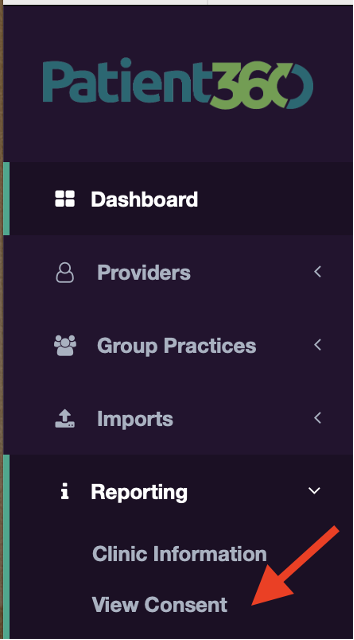
- Click on Reporting > View Consent
- Click on View next to the group and/or individual provider planning to report 2024 MIPS
Note: You can filter consent based on reporting type (ex: group or individual), or status (ex: consent is complete or incomplete)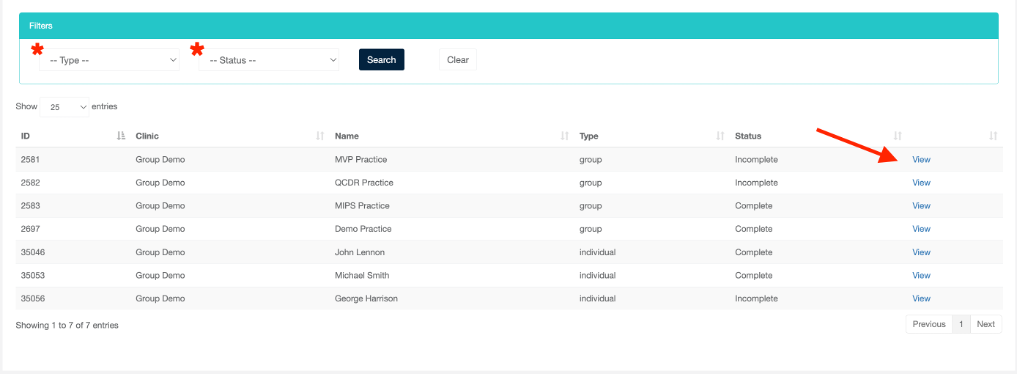
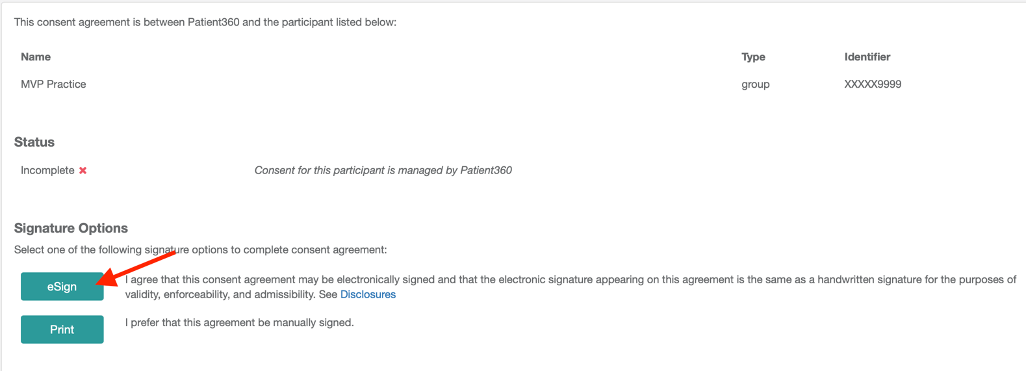
- For group reporting, click on eSign or Print
a. eSign (strongly recommended): Type in your full name and click the Grant button. A copy of your group consent will be sent via email
b. Print: Print, sign, and send a copy of your signed consent to support@patient360.com - For individual reporting, click on eSign or Print
a. eSign (strongly recommended): An email address is required. This can be added from the Providers section of P360. After clicking eSign, an email will be sent with an invitation to complete consent
b. Print: Print, sign, and send a copy of your signed consent to support@patient360.com
Submitting 2024 MIPS Data
Please follow the steps below to indicate readiness to submit your 2024 MIPS Data to CMS at the Group and/or Individual level. Data submission must be completed by Friday, February 28th. For additional assistance please reach out via support@patient360.com.
- Login to Patient360
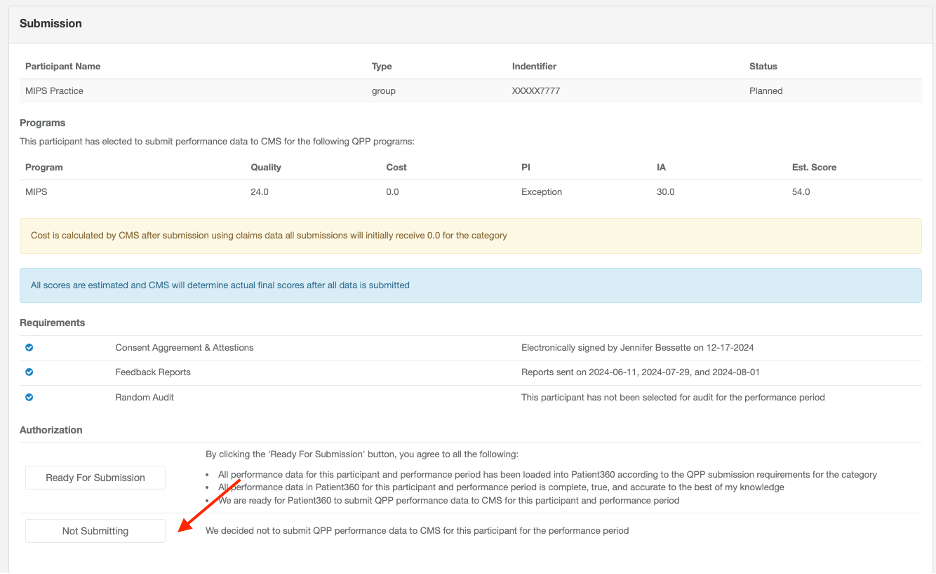
- Click on Reporting > Submission
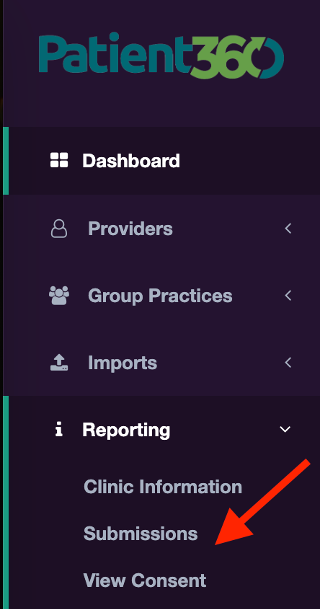
- Click on Details next to the group and/or individual provider planning to report 2024 MIPS
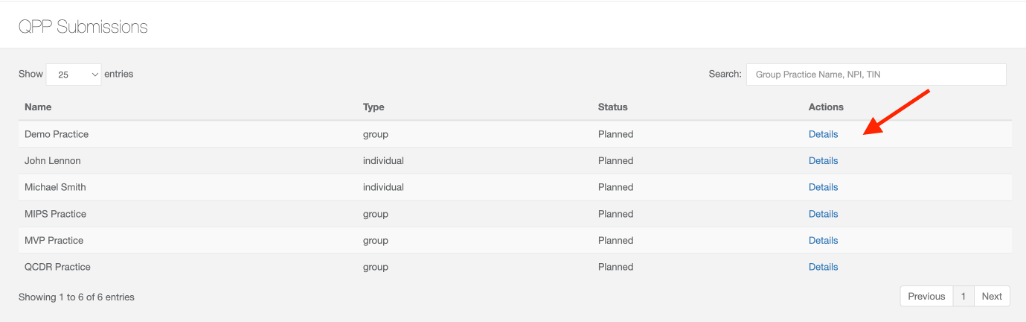 Ensure that your group or Individual has completed all requirements: Consent Agreement, Eligibility, Feedback Reports, Random Audit
 - Click Ready For Submission
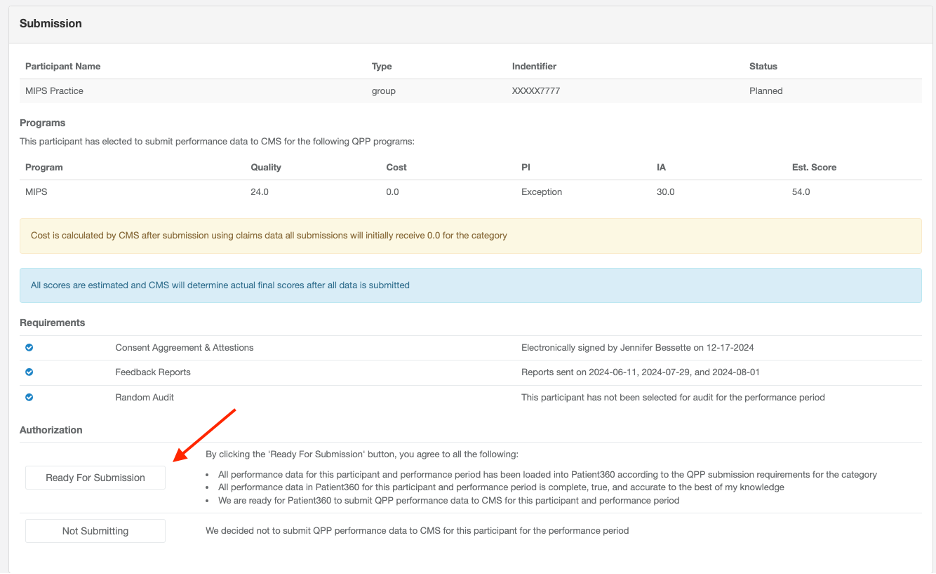
Note: You will receive a submission receipt that CMS has accepted your 2024 MIPS data within 24-48 hours of indicating your submission readiness in Patient360.
Not Submitting 2024 MIPS Data
Please follow the steps below to indicate that your group and/or individual will not submit 2024 MIPS Data to CMS. For additional assistance please reach out via support@patient360.com.
- Login to Patient360
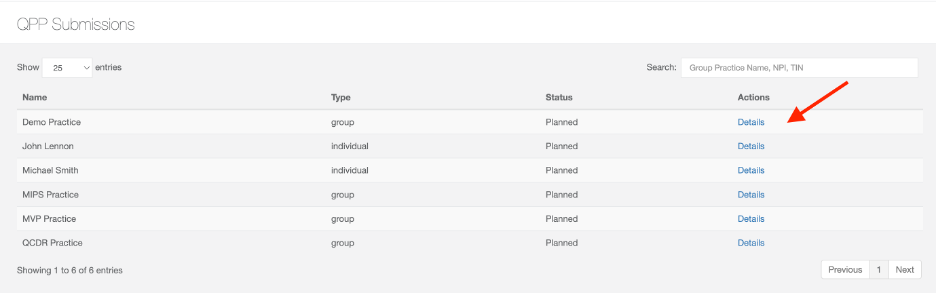
- Click on Reporting > Submission
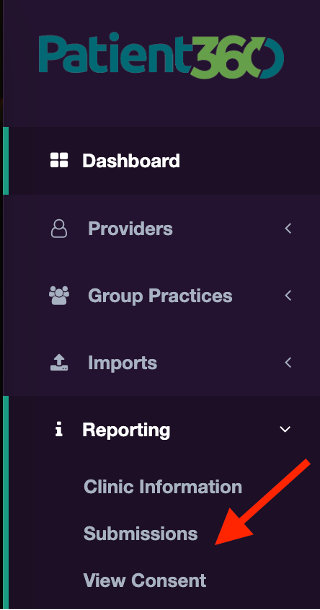
- Click on Details next to the group and/or individual provider that was planning to report 2024 MIPS
- Click Not Submitting