TABLE OF CONTENTS
Watch this quick video walkthrough to see exactly how to navigate the Patient360 portal and log your Improvement Activities. We’ll show you step-by-step how to add your measures and successfully complete your attestation for both group and individual reporting.
How to add your Improvement Activities
- Login to Patient360
- Navigate to Group Practices (for Group IA reporting) or Providers (for Individual IA reporting)
- Select your Group Practice or Provider
- Click on the Template/Manual Entry button
- Select the IA Measures tab
- Click on Add Measure to search for and add your measure(s)
How to attest to Improvement Activities for Group Practices
Login to Patient360
- Navigate to Group Practices
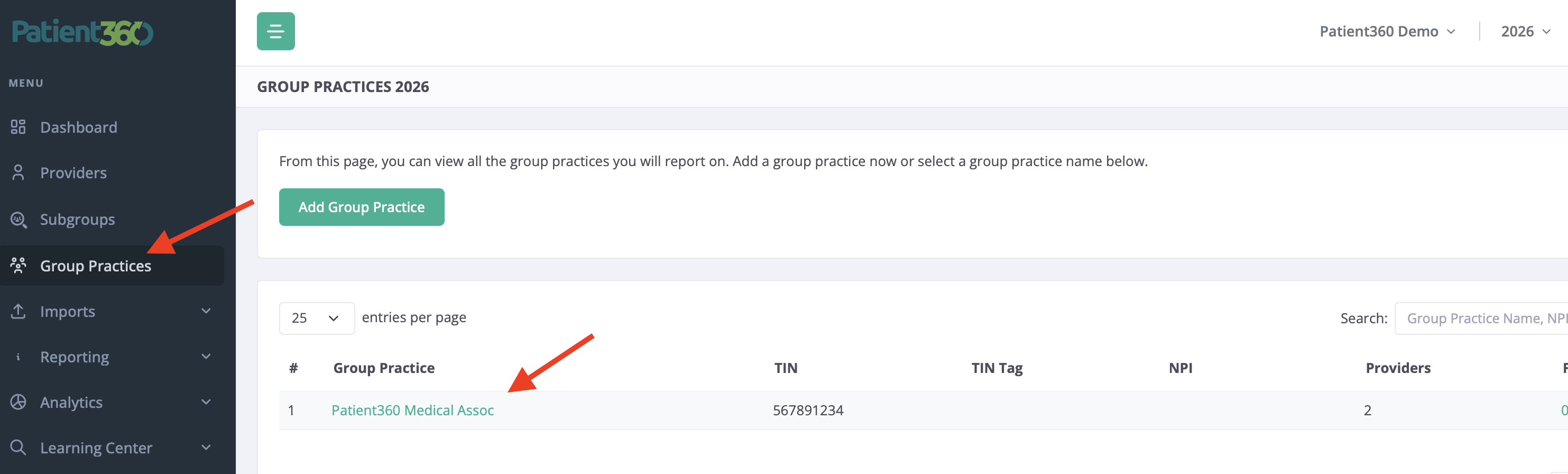
- Select your Practice
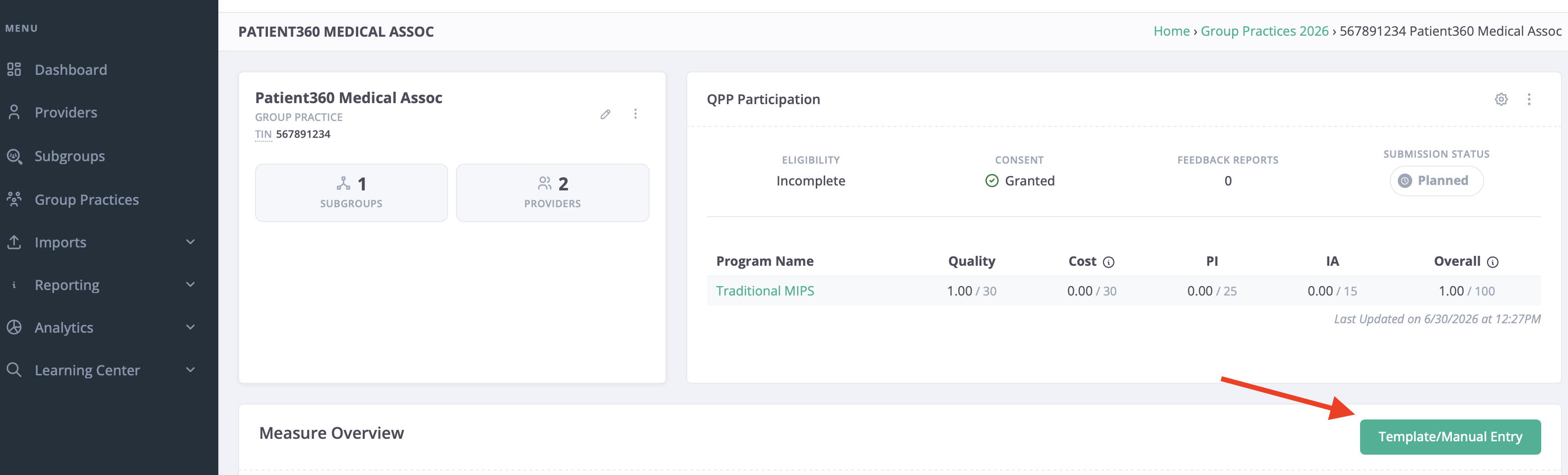
- Click on the Template/Manual Entry button
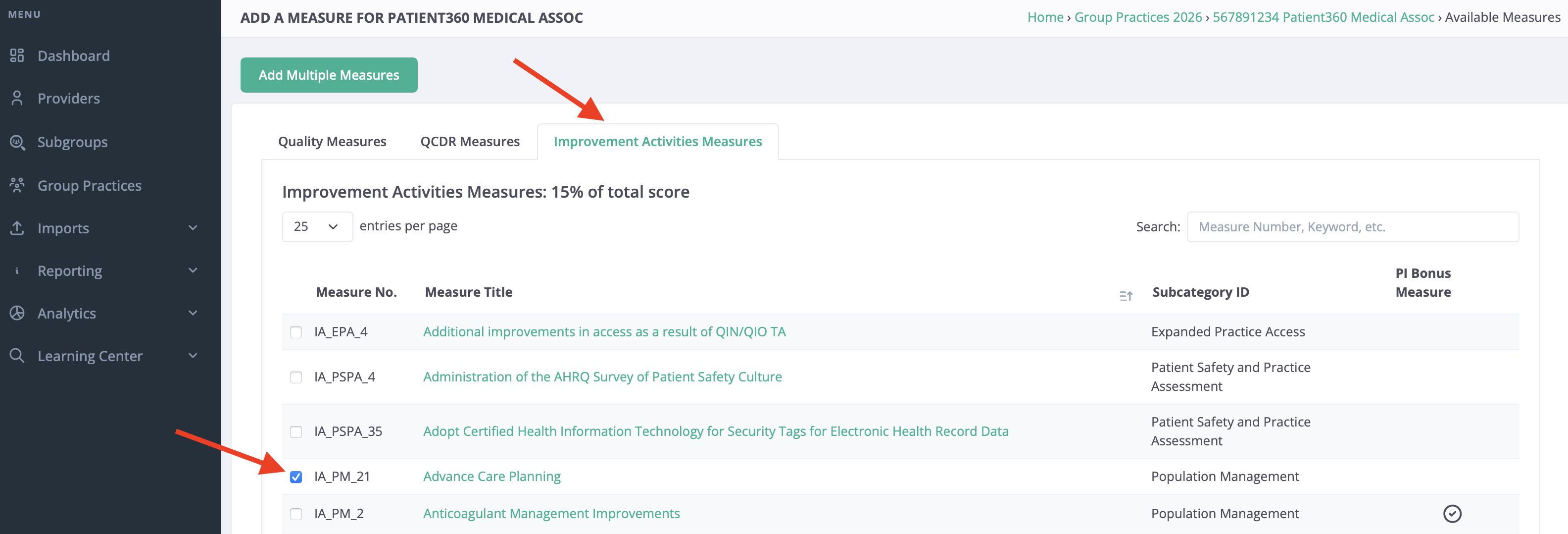
- Navigate to the IA measures tab
- Click on Add Measure to search and add your measure(s)
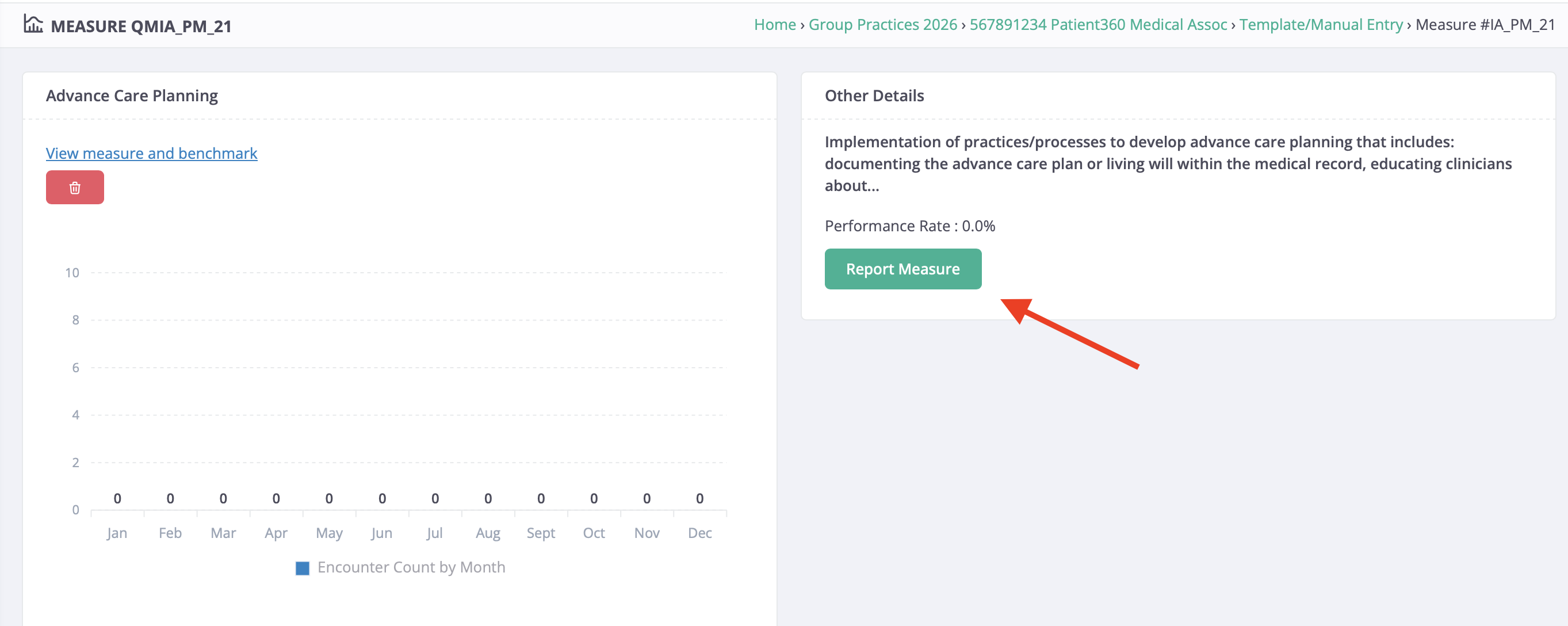
- Once your measure(s) have been added, click on the measure name then the Report Measure button
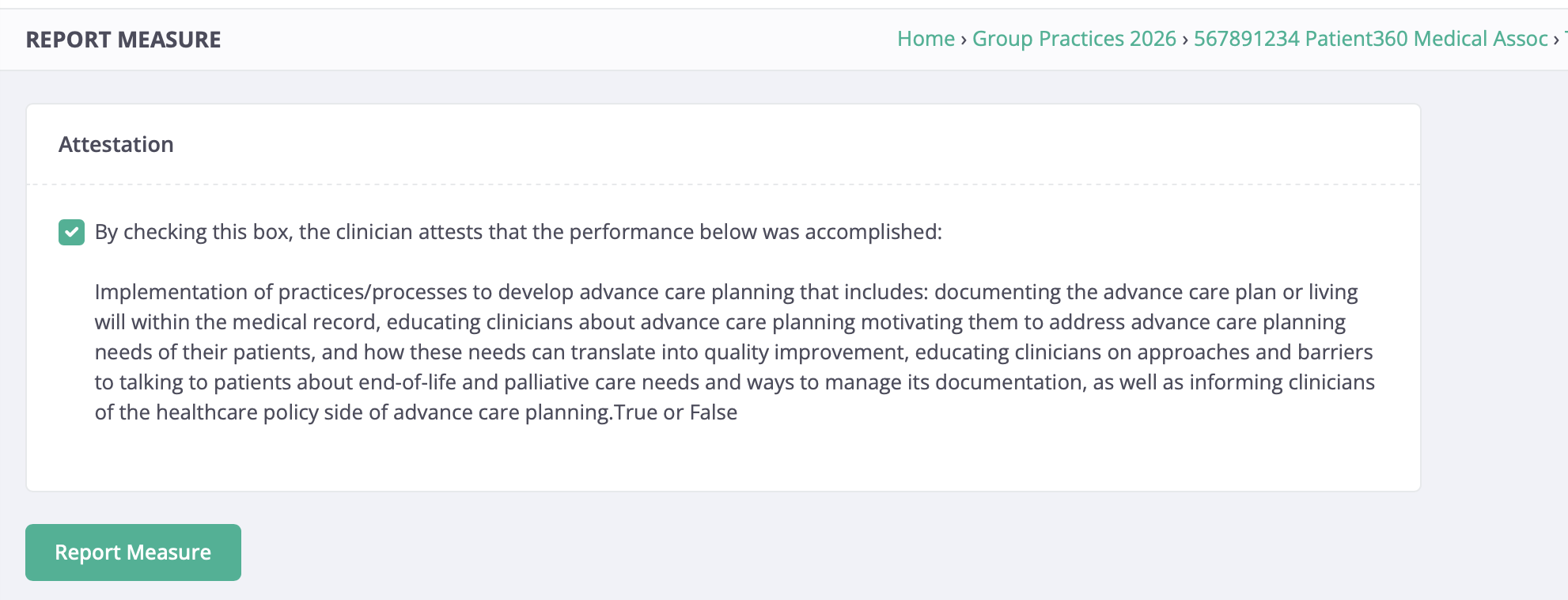
- Select the check box → click Report Measure
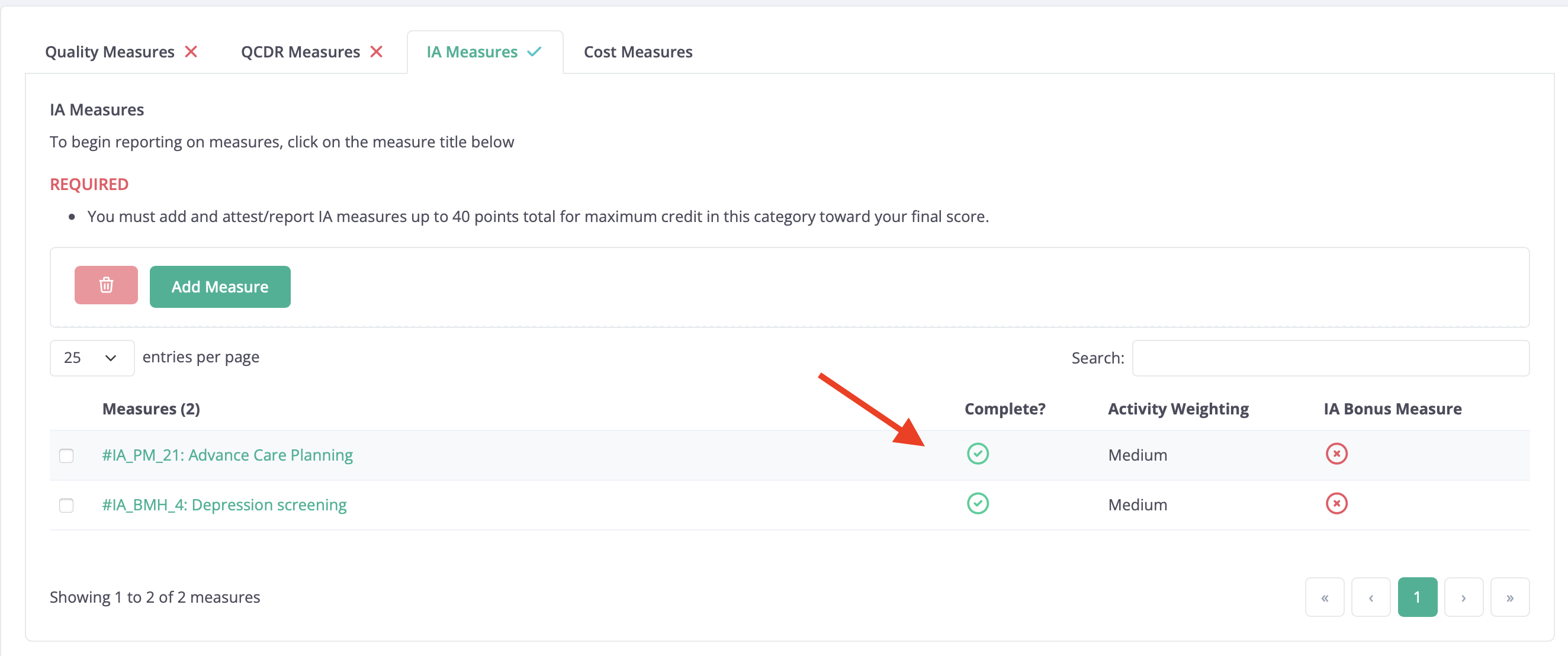
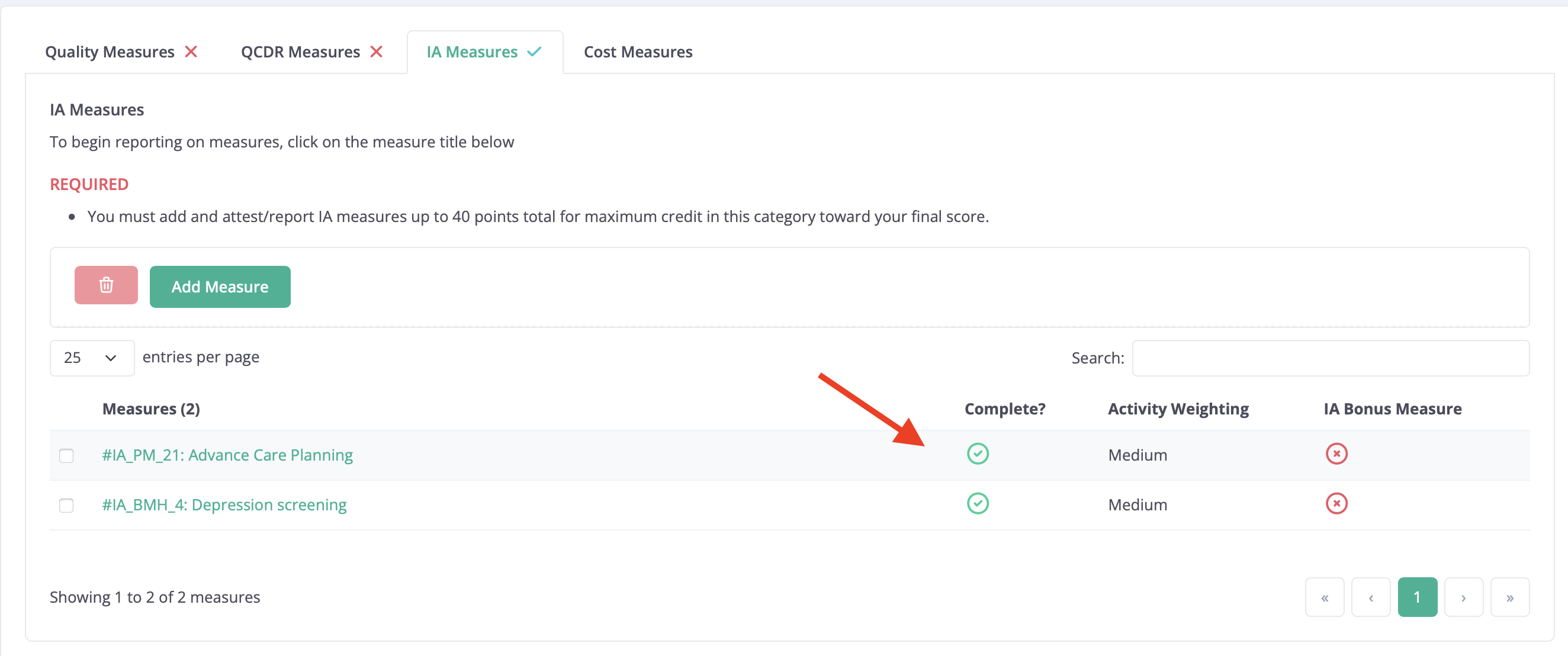
- Confirm there is a checkmark under complete
How to attest to Improvement Activities for individual Providers
- Login to Patient360
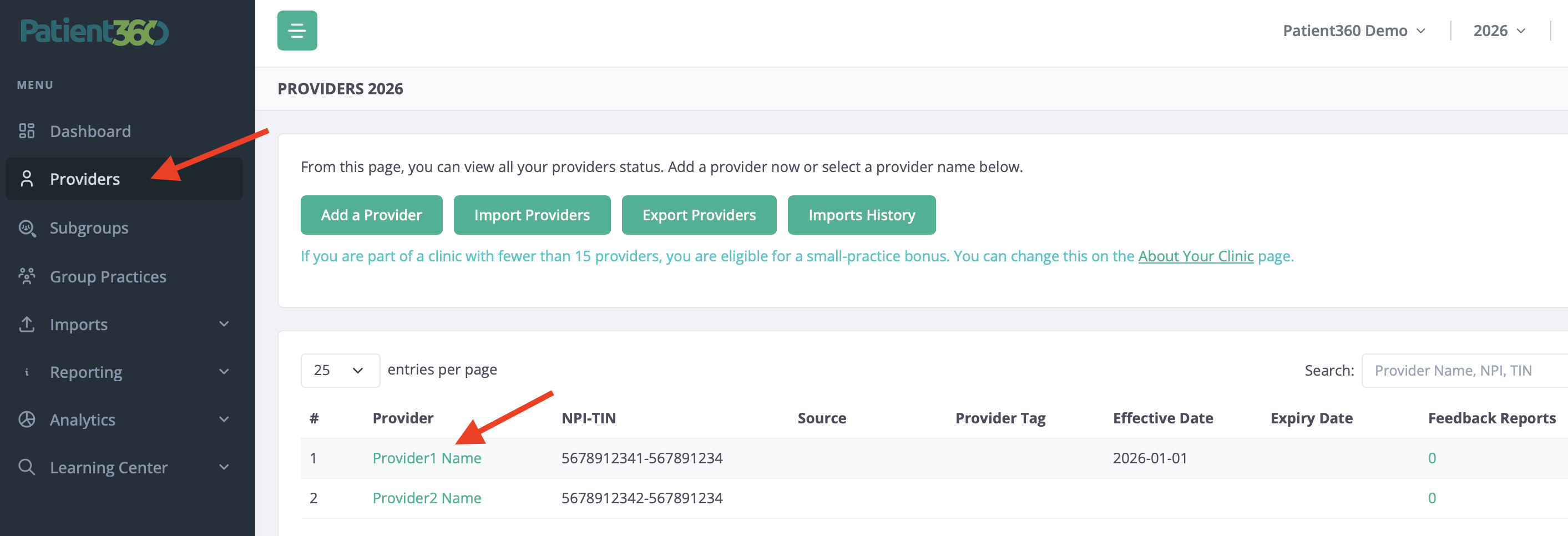
- Navigate to Providers → Providers
- Select your Provider's name
- Click on the Template/Manual Entry button
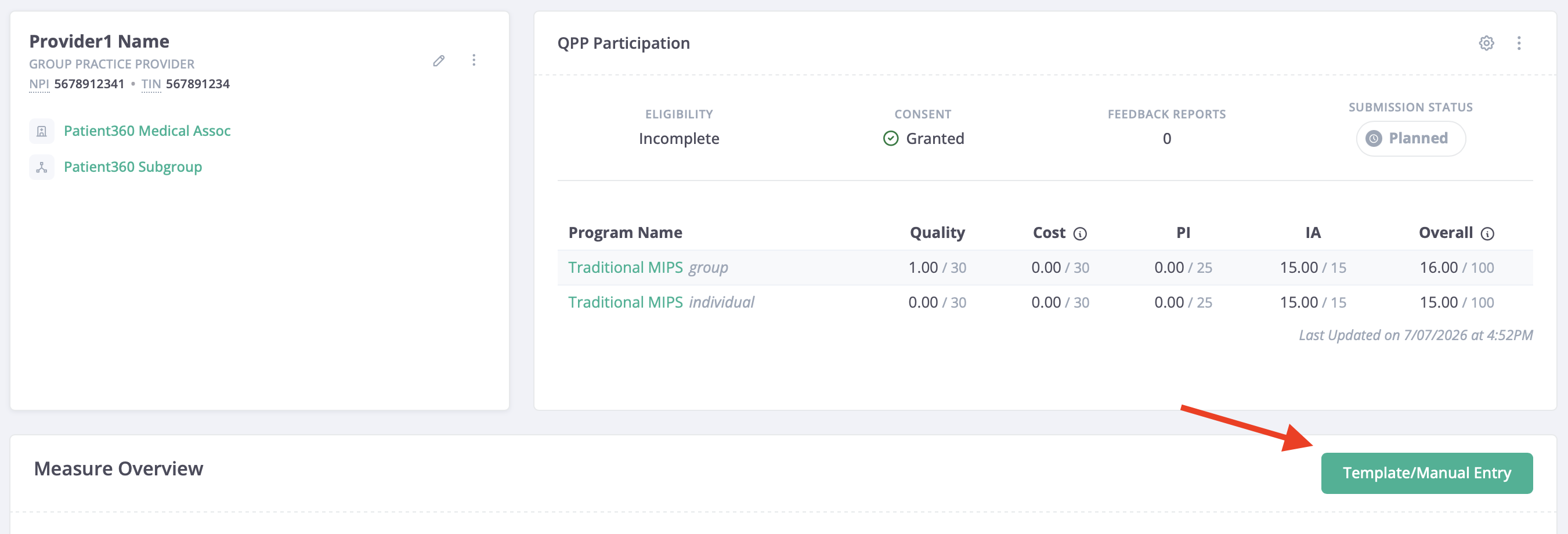
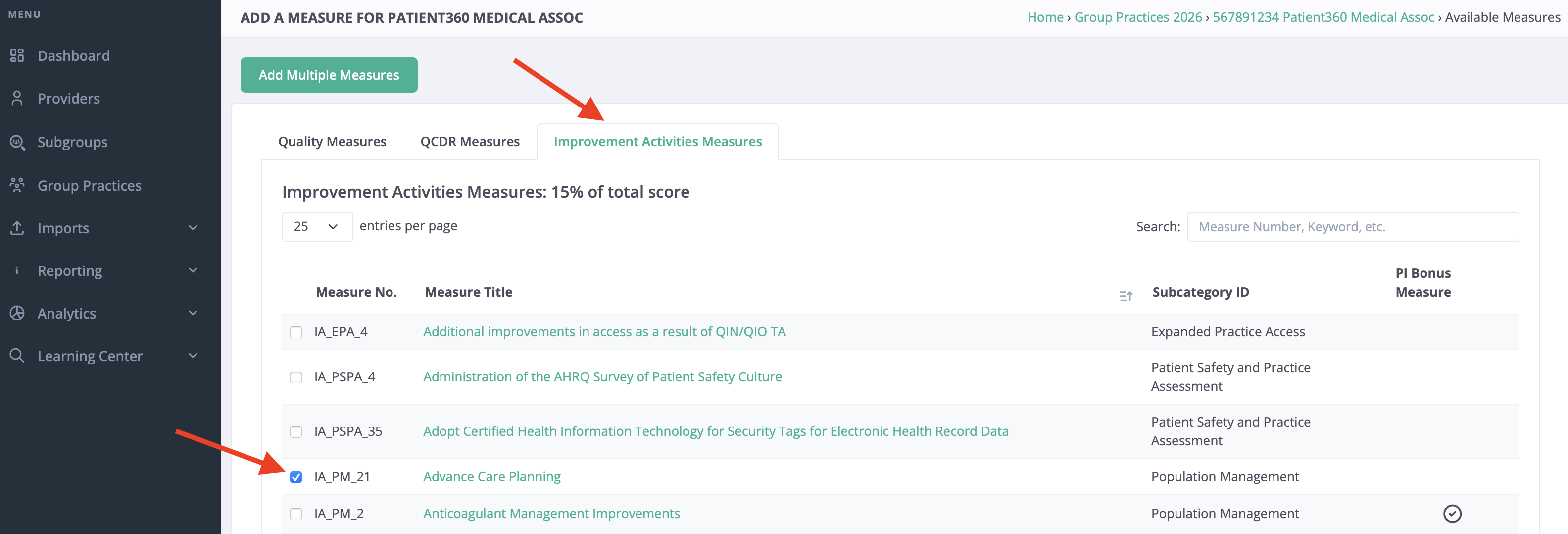
- Navigate to the IA measures tab
- Click on Add Measure to search and add your measure(s)
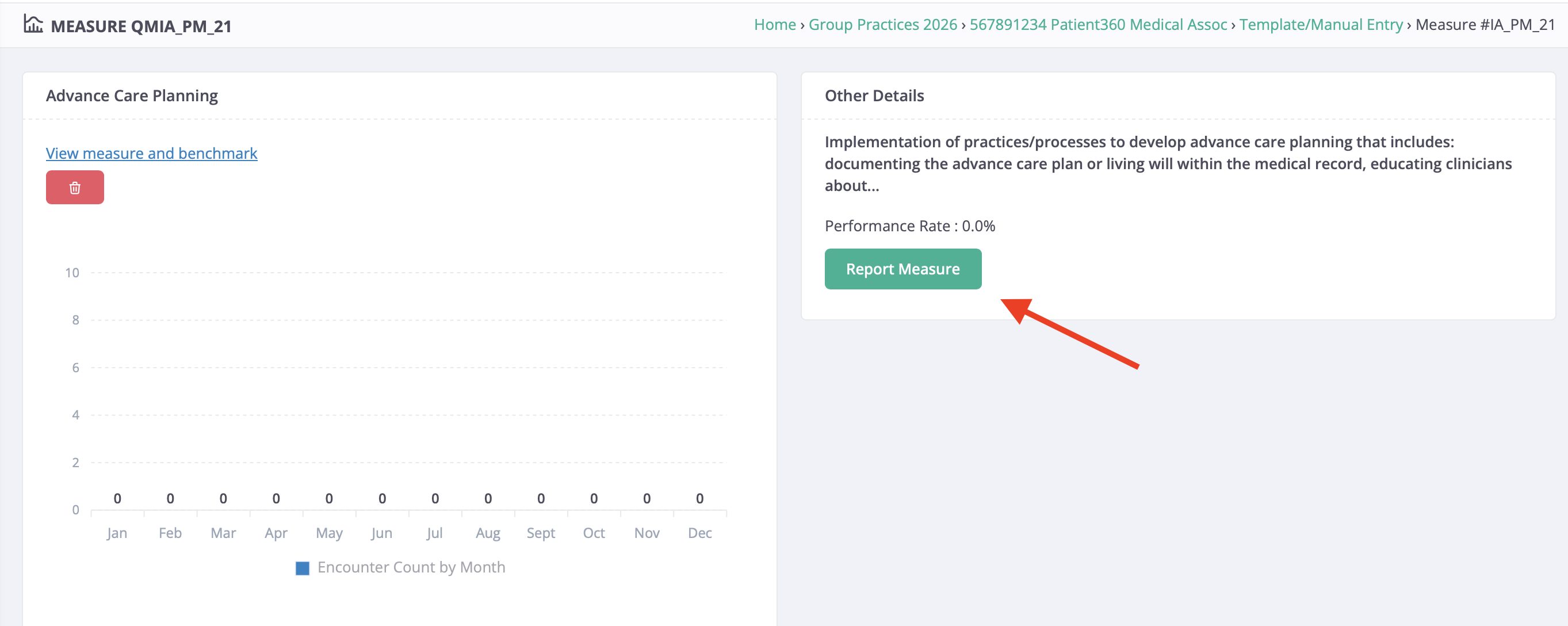
- Once your measure(s) have been added, click on the measure name then the Report Measure button
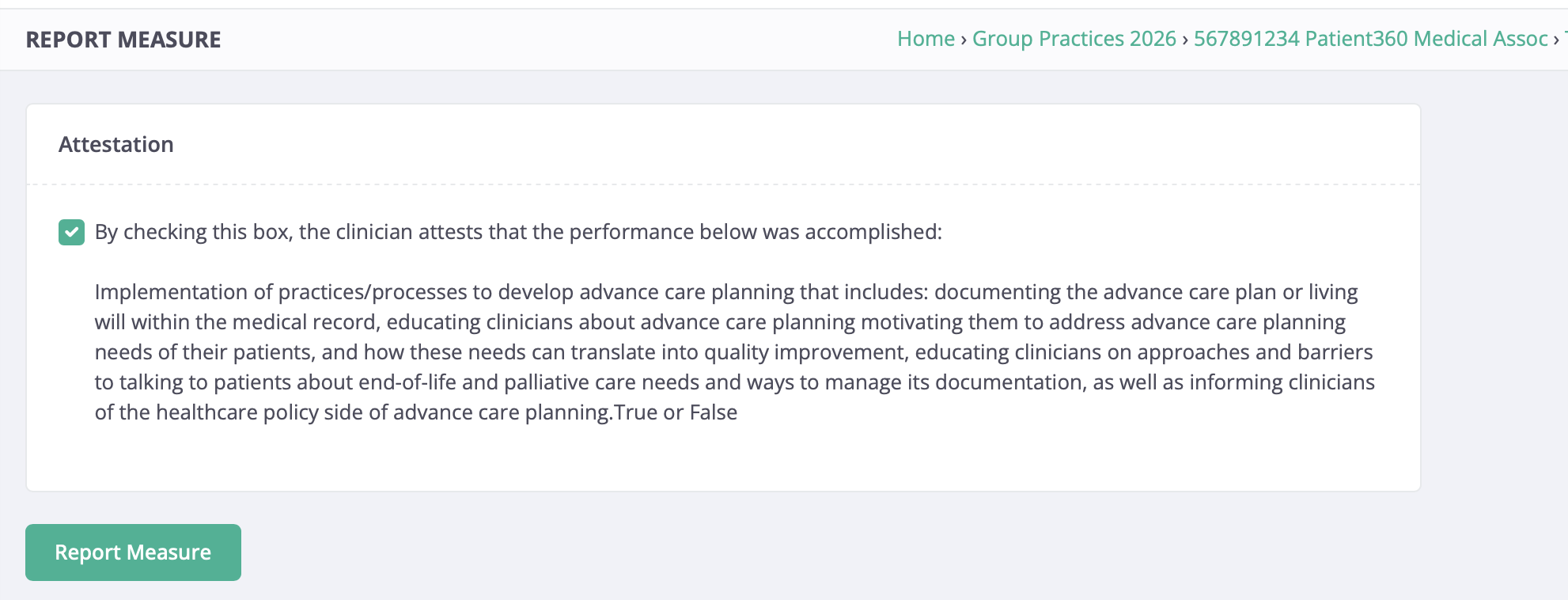
- Select the check box → click Report Measure
- Confirm there is a checkmark under complete