TABLE OF CONTENTS
PI Category Overview
PI Objectives
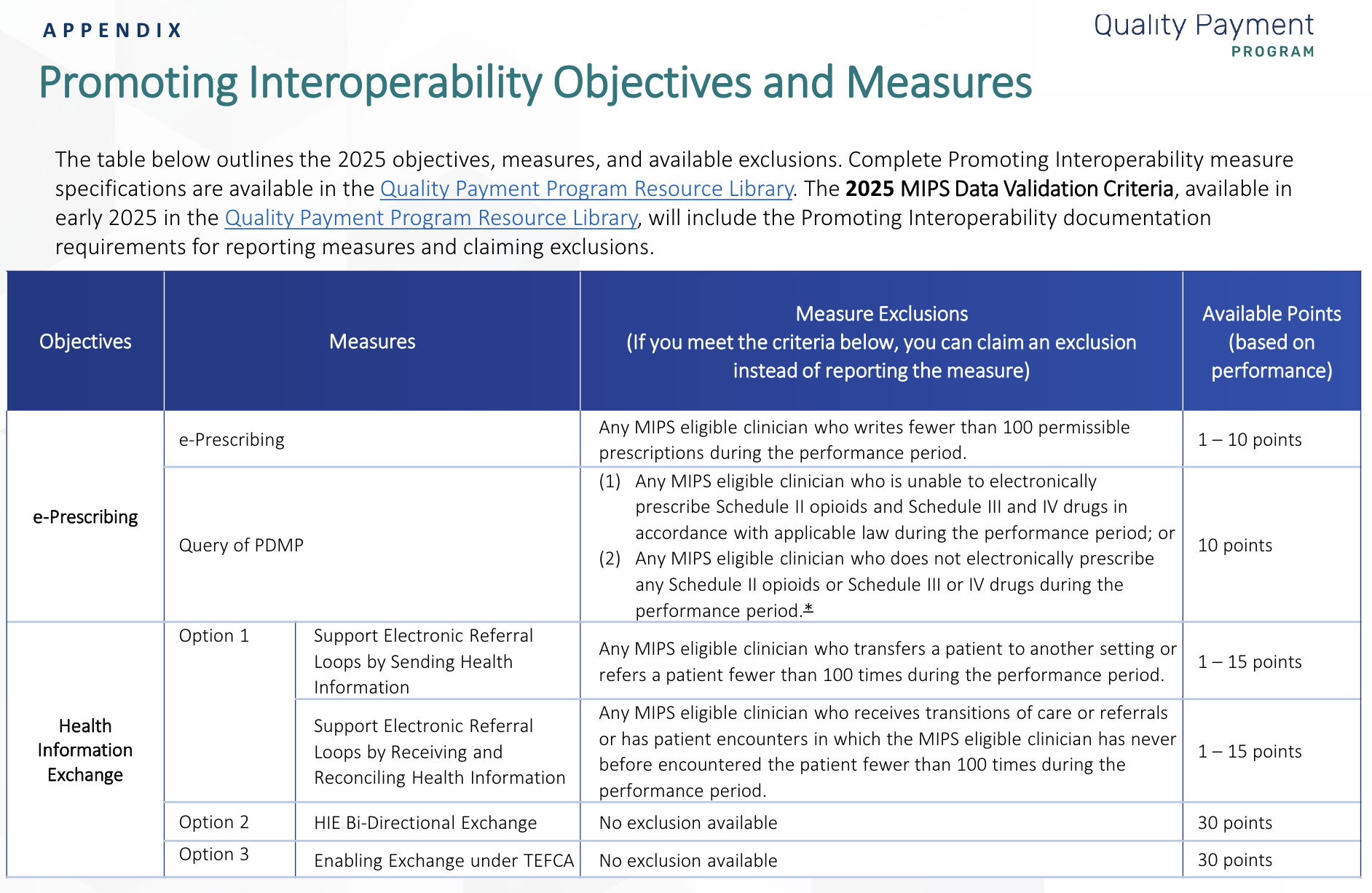
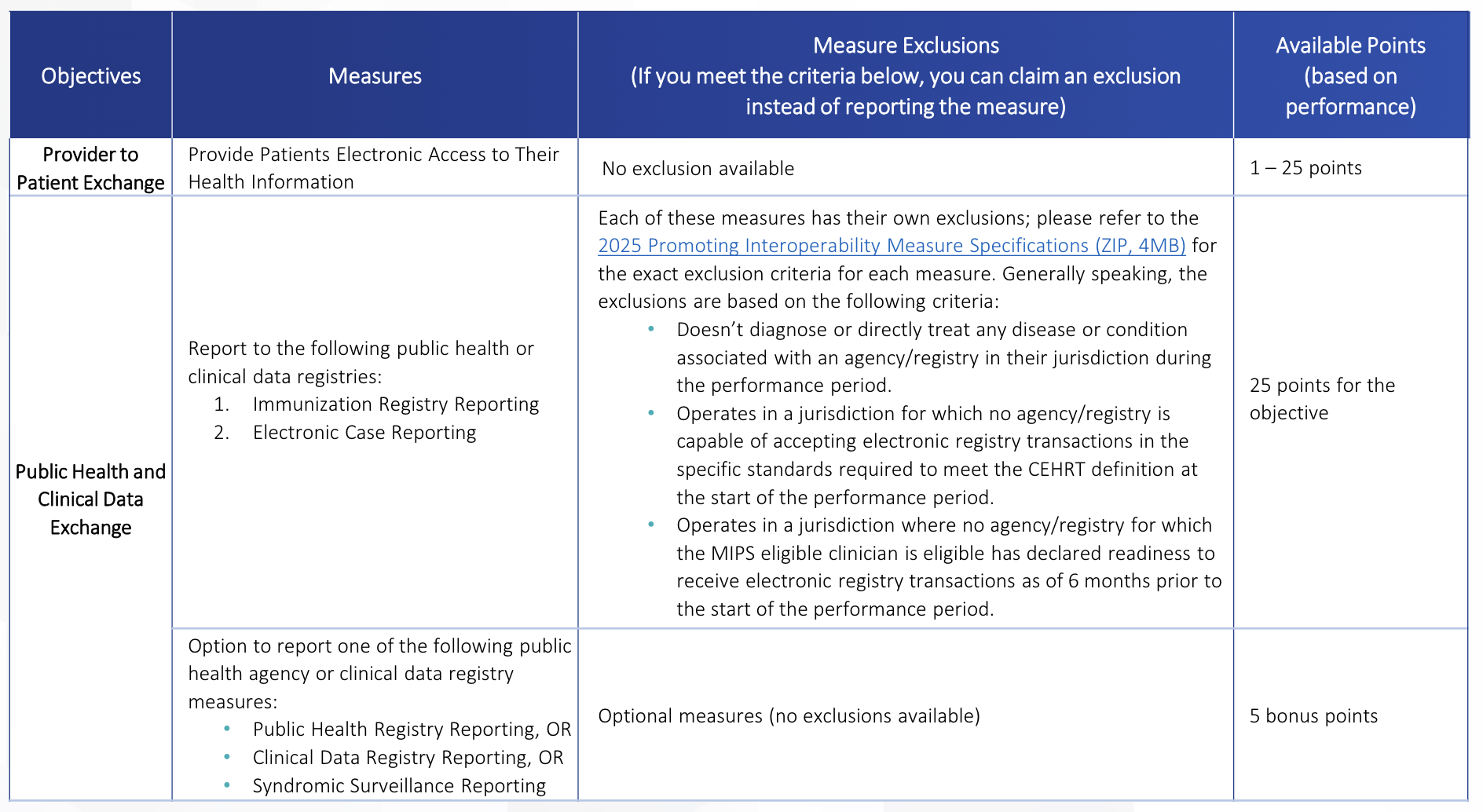
The 2025 Promoting Interoperability performance category focuses on the following objectives:
• e-Prescribing
• Health Information Exchange (HIE)
• Provider to Patient Exchange
• Public Health and Clinical Data Exchange
When to complete PI in P360
After a minimum of 180 continuous days in the calendar year of collecting data for all required PI measures.
Steps to complete PI in P360
Manual Entry
Use the following steps for adding all measures or any measures not being uploaded via QRDAIII:
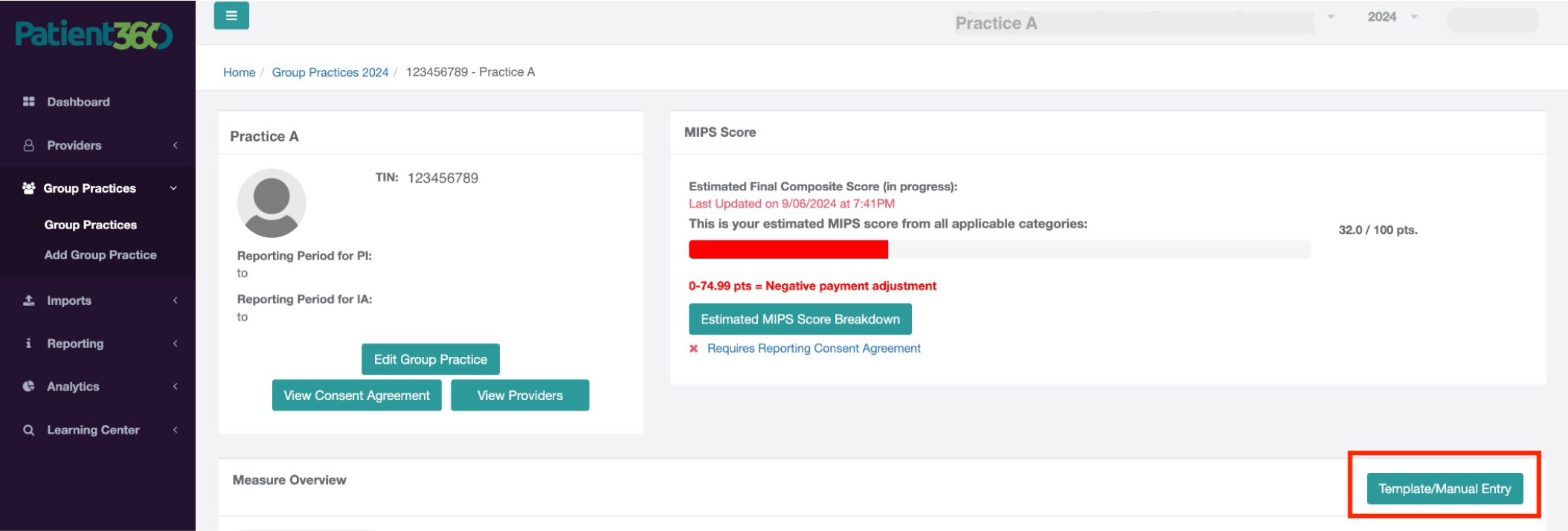
- Login to Patient360
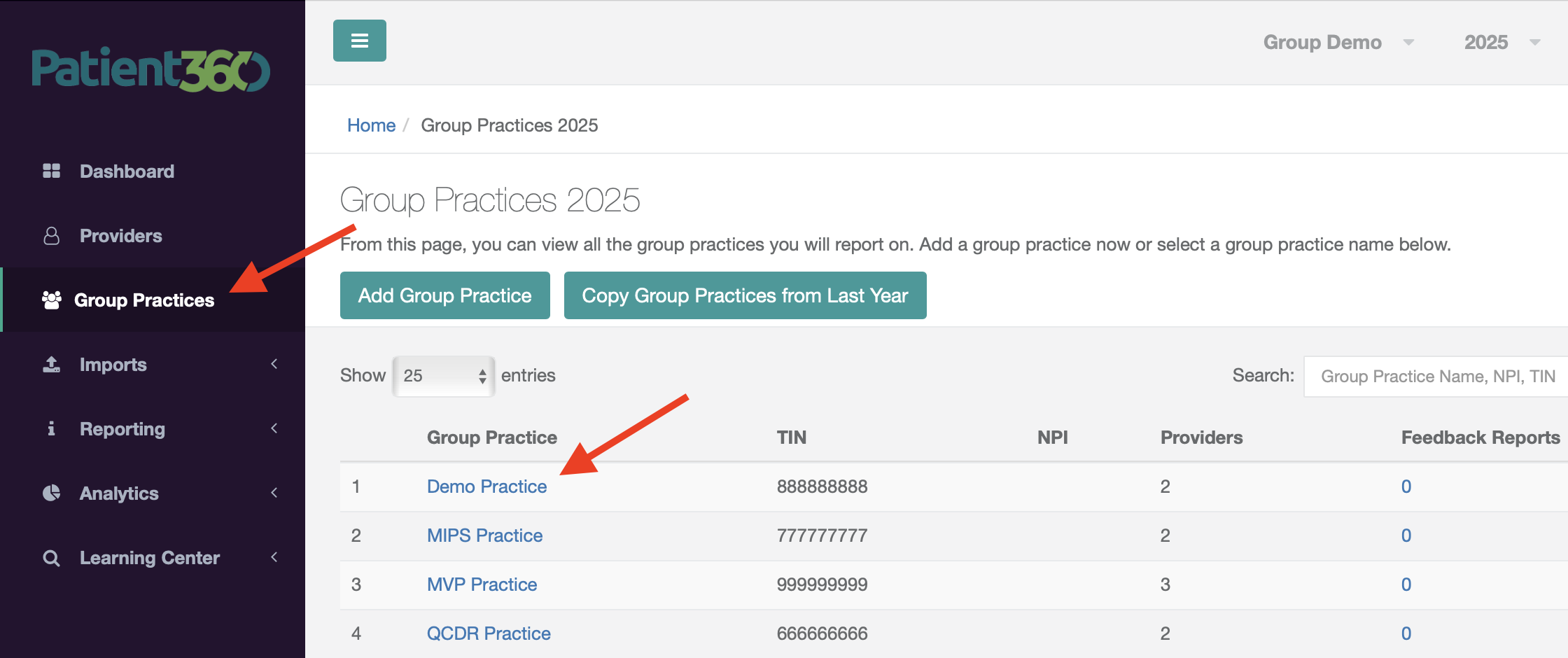
- Navigate to Group Practices (if you are an individual provider opting to report PI- select Providers)
- Select your Practice
- Click on the Template/Manual Entry button
- Navigate to the PI measures tab and click Add Measure
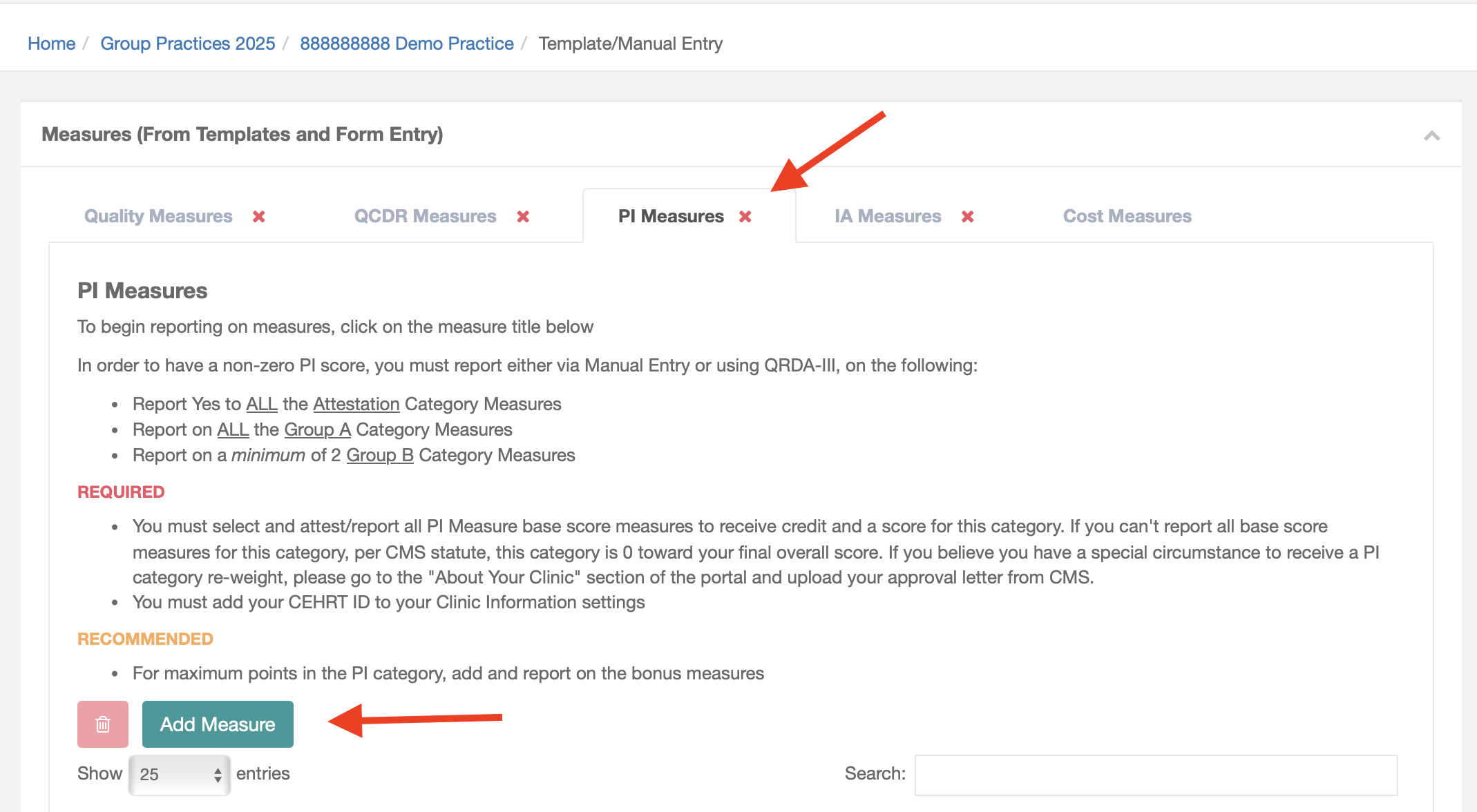
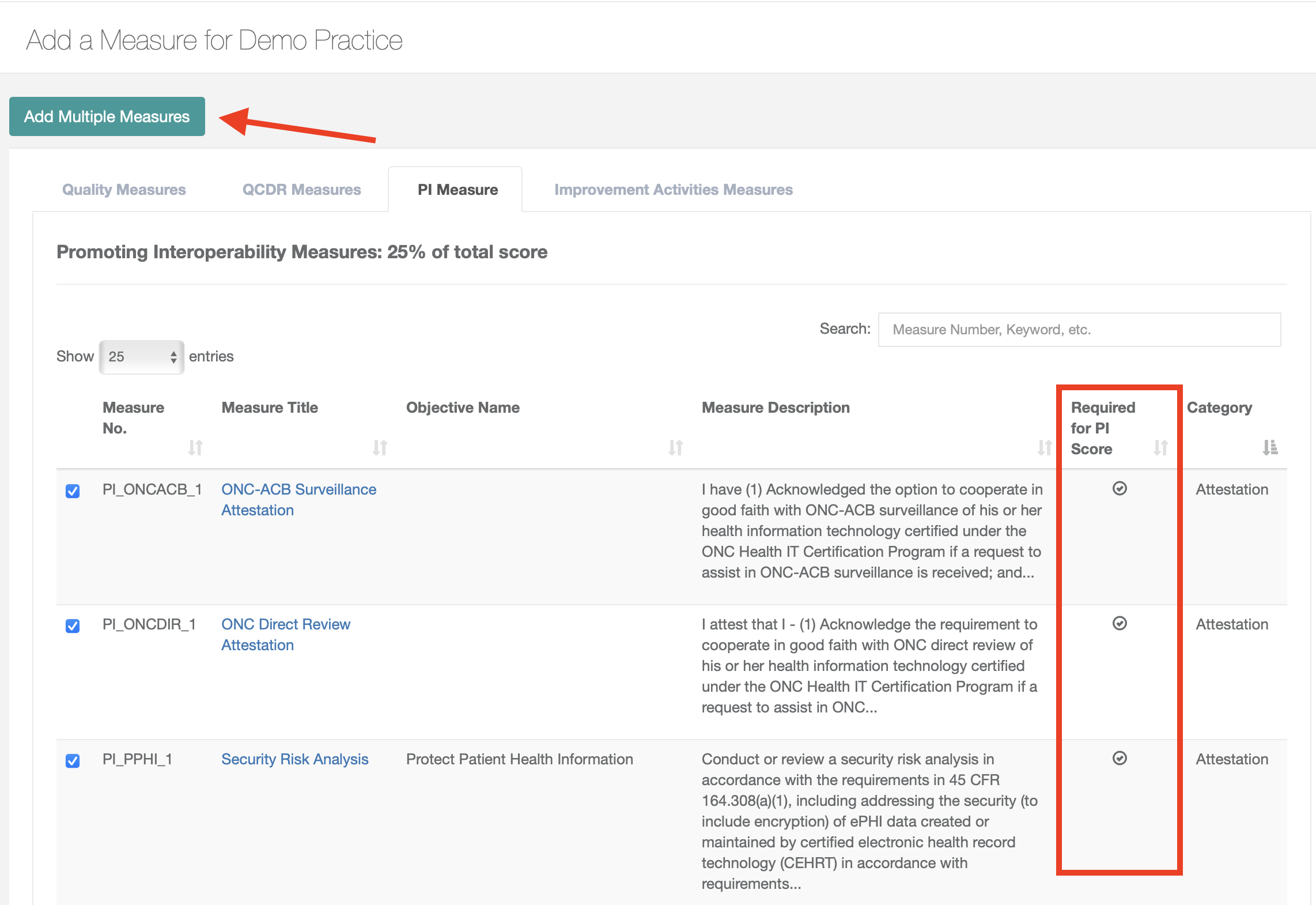
- Search and check off your desired PI measures. Required PI measures will have a checkmark in the Required for PI Score column. Once all measures have been checked off, click the Add Multiple Measures button.
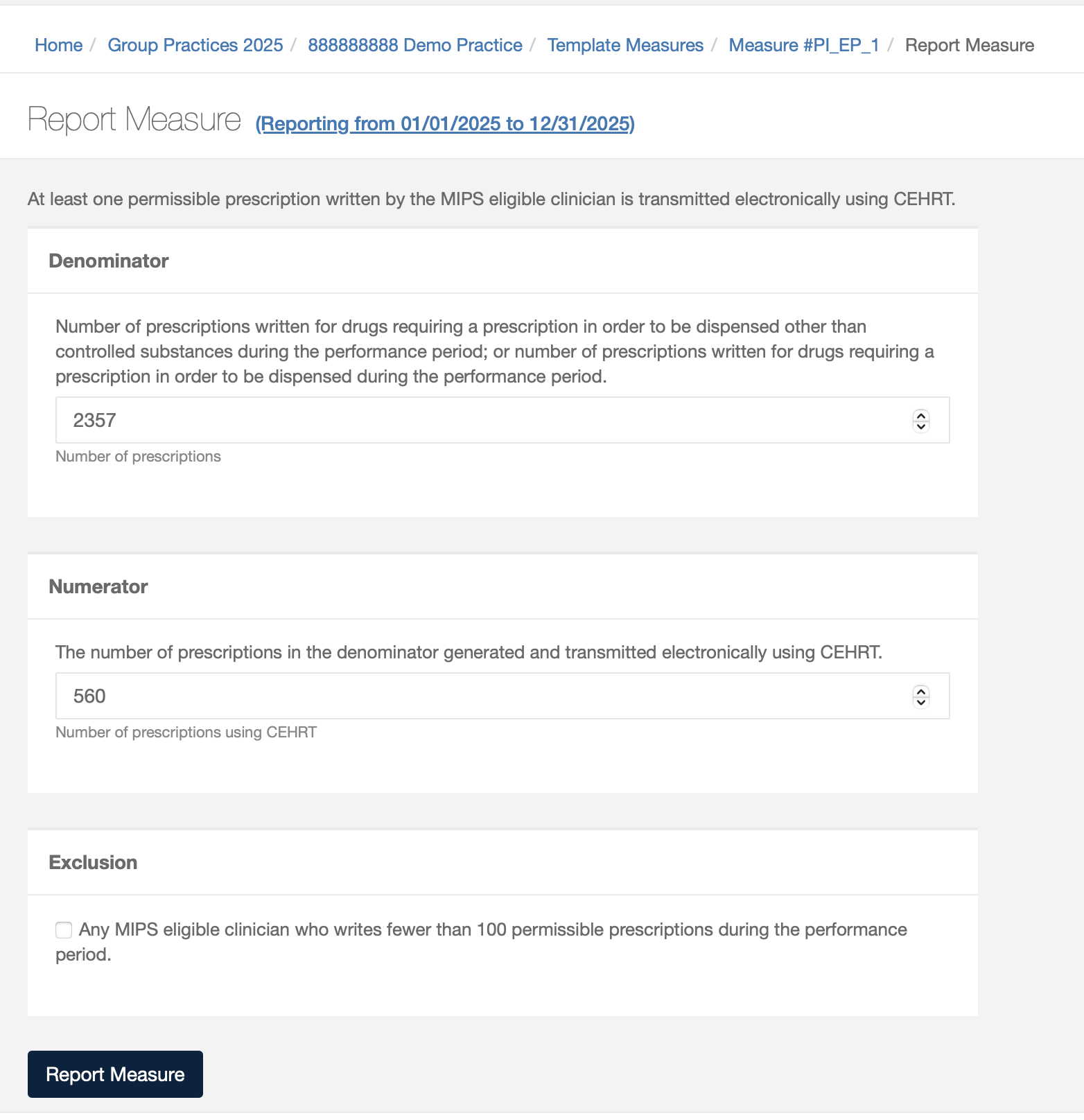
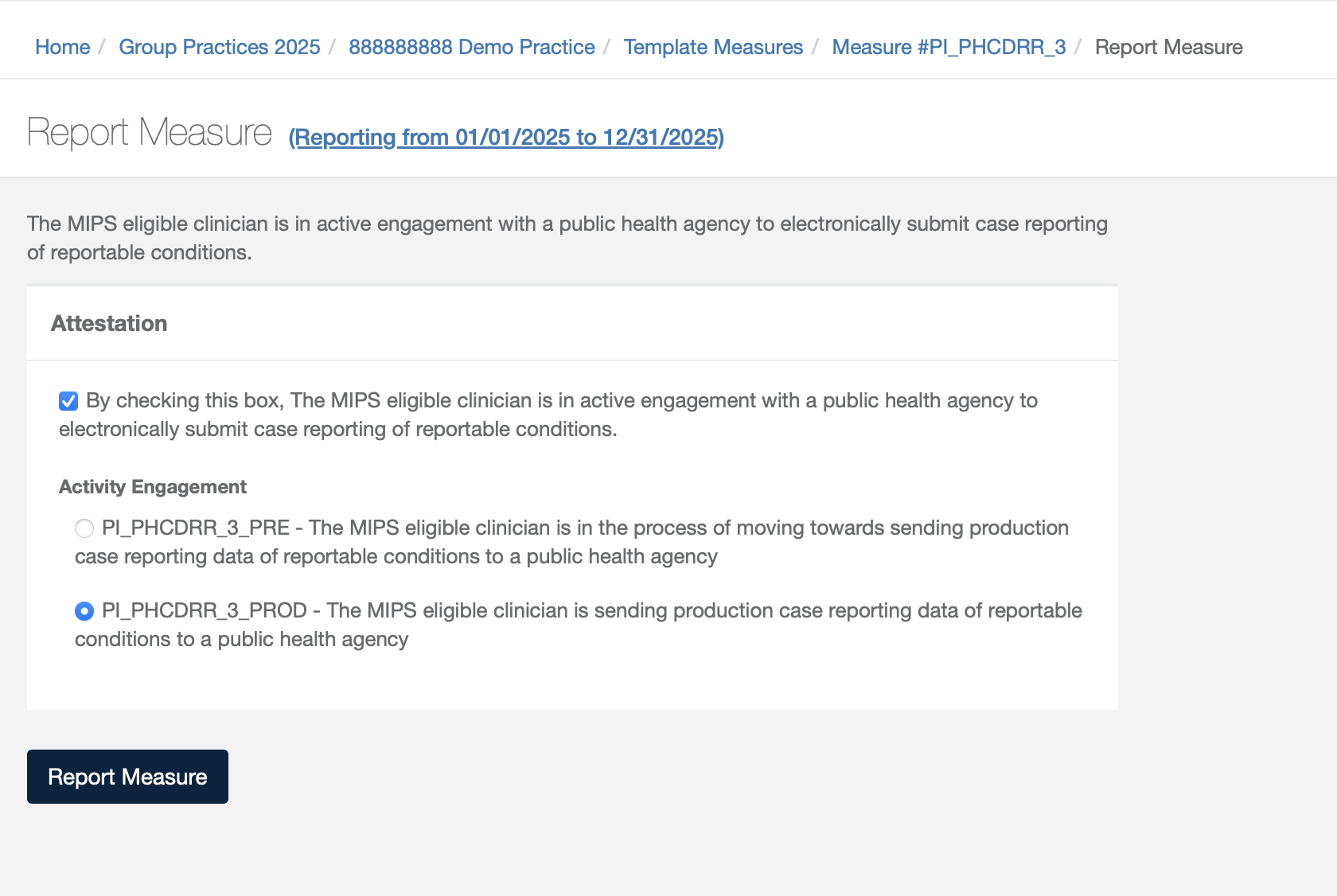
- Once your measures have been added, click on the measure name then the Report Measure button
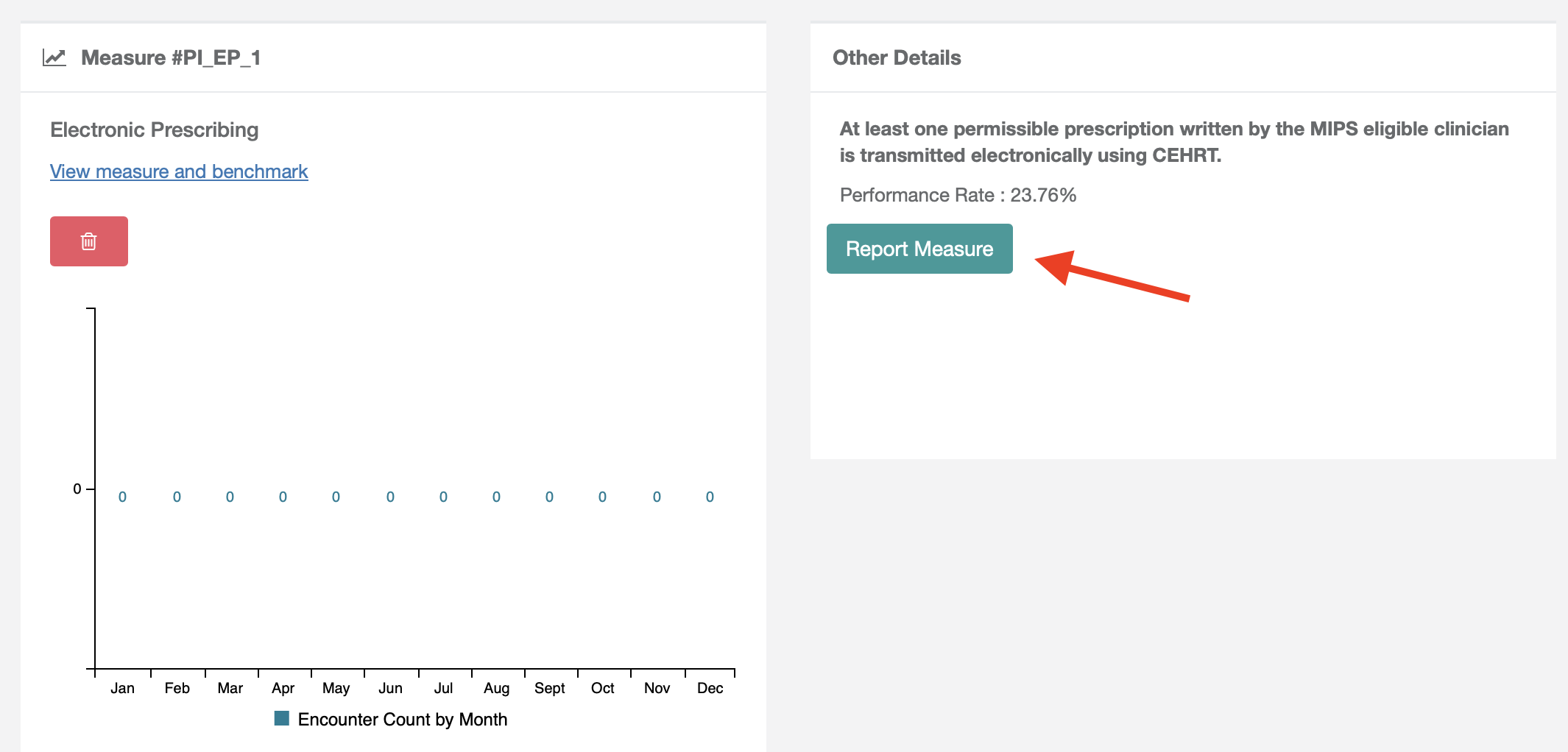
- For measures requiring numerator and denominator counts, fill in numerator and denominator fields (or exclusion if it applicable) then select Report Measure. For attestation measures you will check off the attestation and select Report Measure.
Uploading QRDA III files for PI
Use the following steps for importing QRDA III files for PI
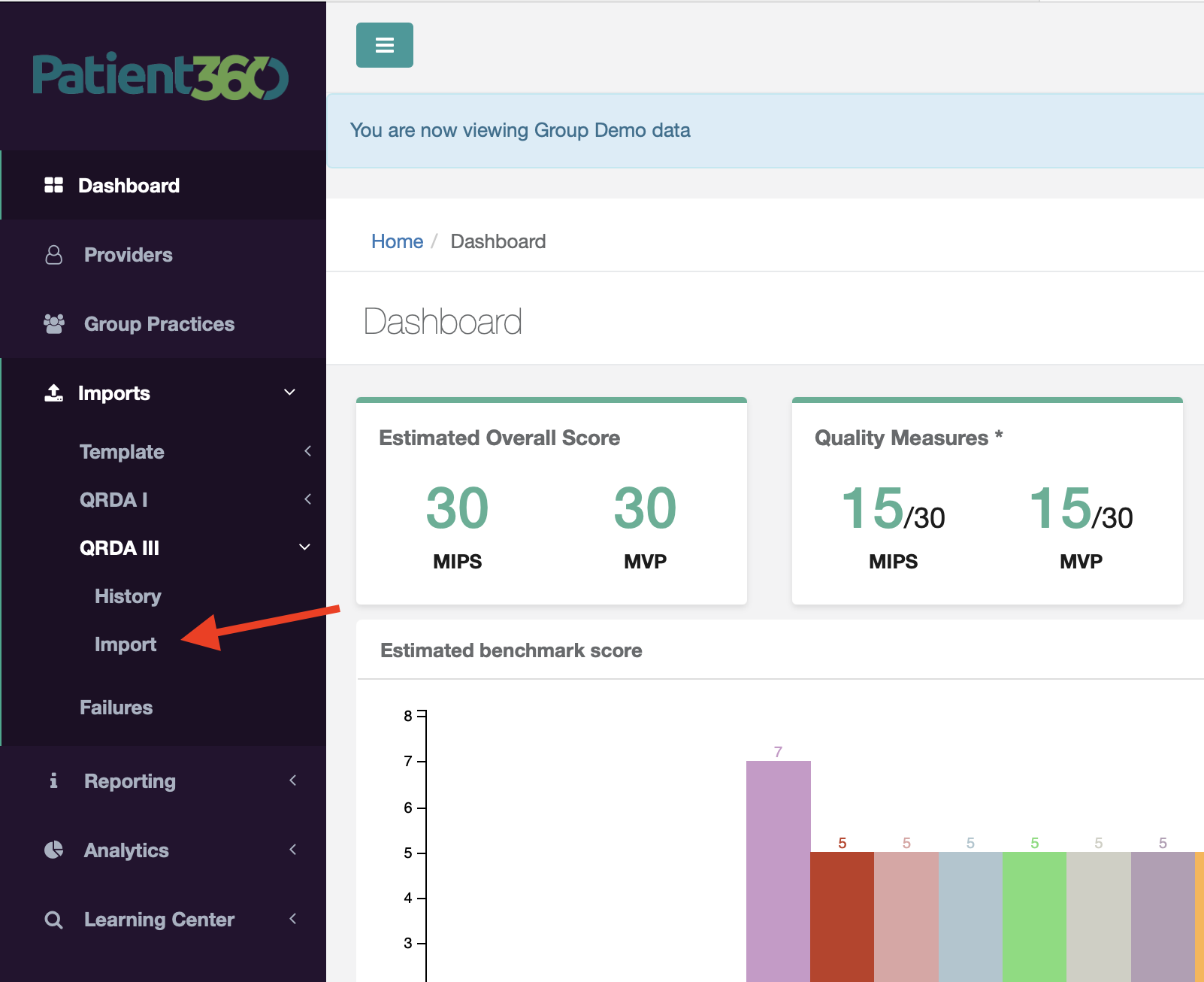
- Navigate to Imports > QRDA III > Import in the left menu
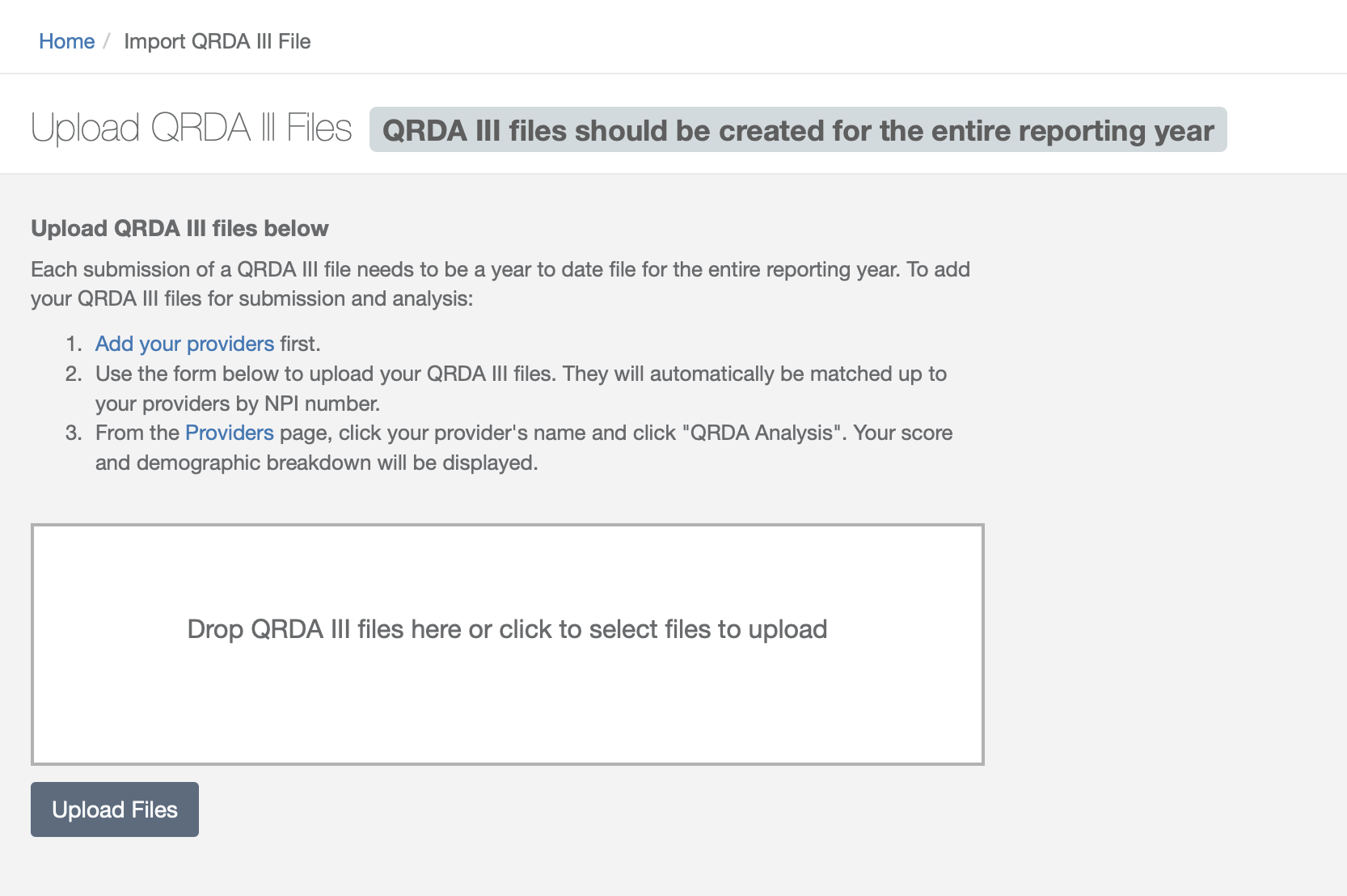
- Drag and drop file then click the Upload files button.
How to check if PI is complete in P360
Overview
Use the following steps to see an overview of complete and incomplete PI measures in P360:
- Navigate to Group Practices (if you are an individual provider opting to report PI- select Providers)
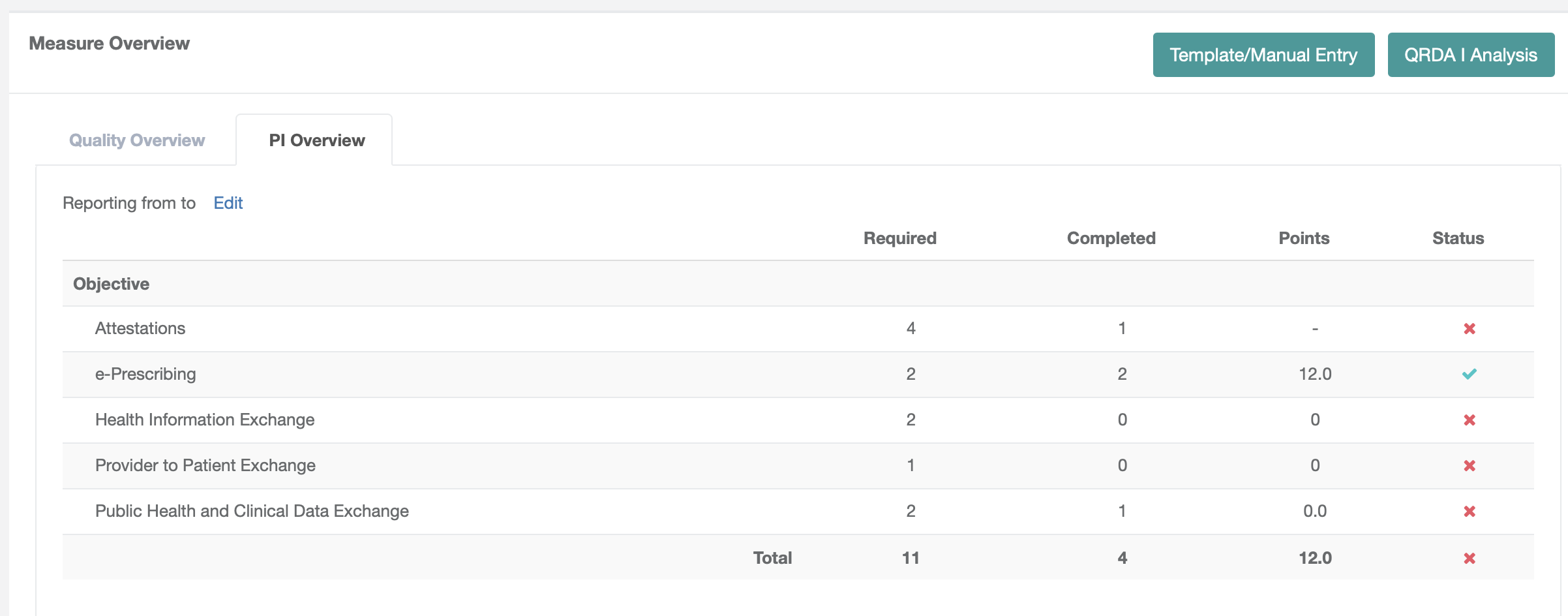
- Click on the PI Overview tab in the Measure Overview section. This will display required and completed measure counts for each objective as well as points and status.
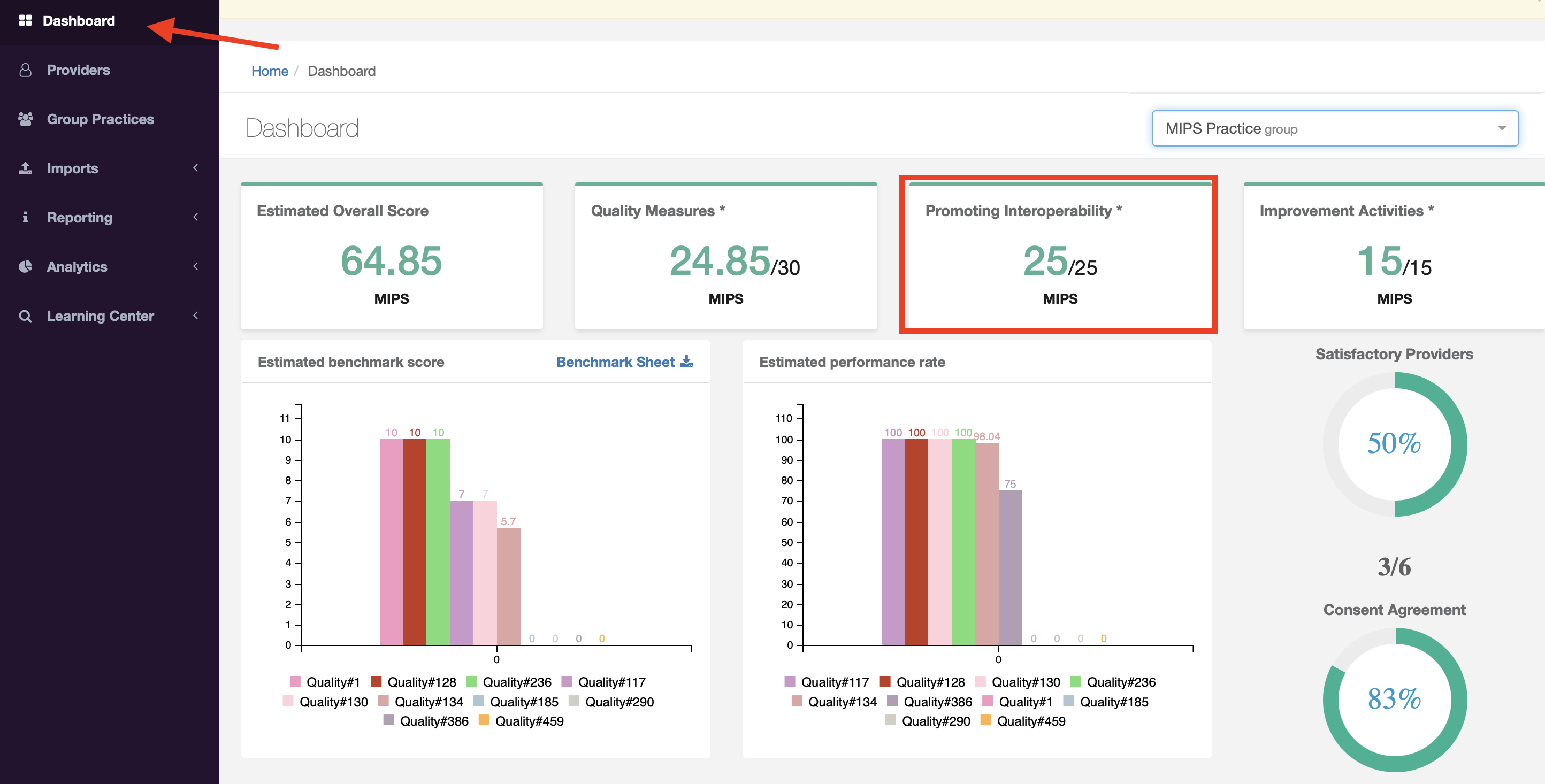
When all required measures for PI have been complete, an estimated overall score will appear on the dashboard.
PI Score Breakdown
Use the following steps to see a breakdown of complete and incomplete PI measures in P360 as well as estimated scores:
- Navigate to Group Practices (if you are an individual provider opting to report PI- select Providers)
- Select your Practice
- Click on the program name in the QPP Participation section
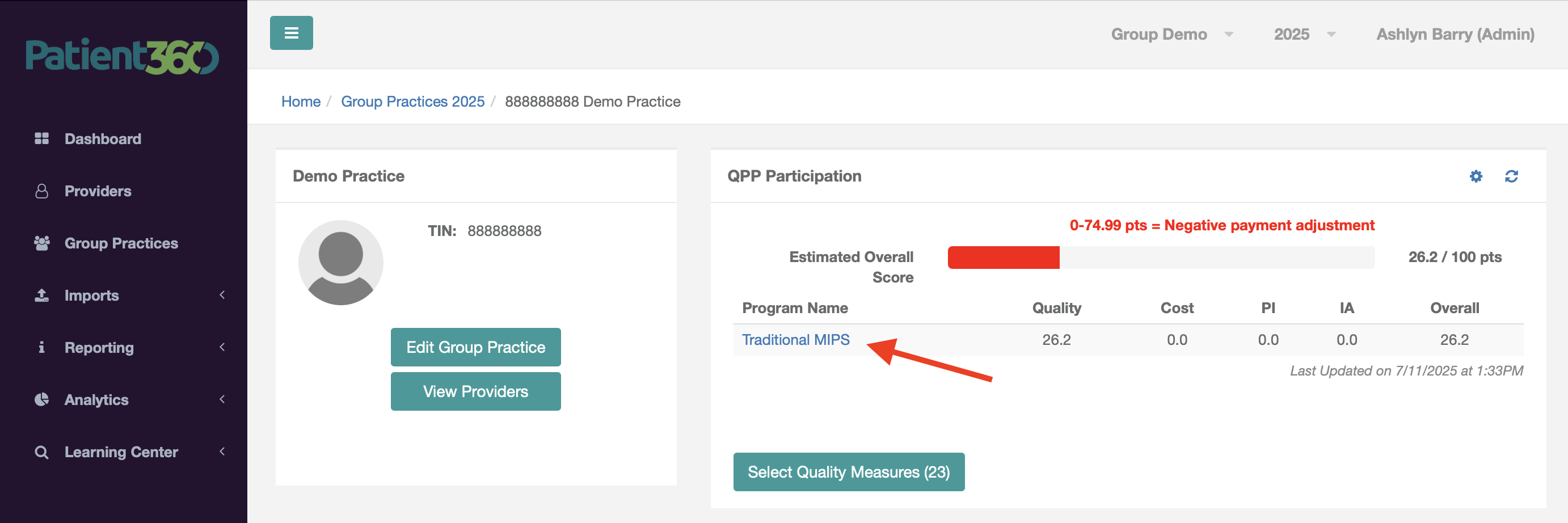
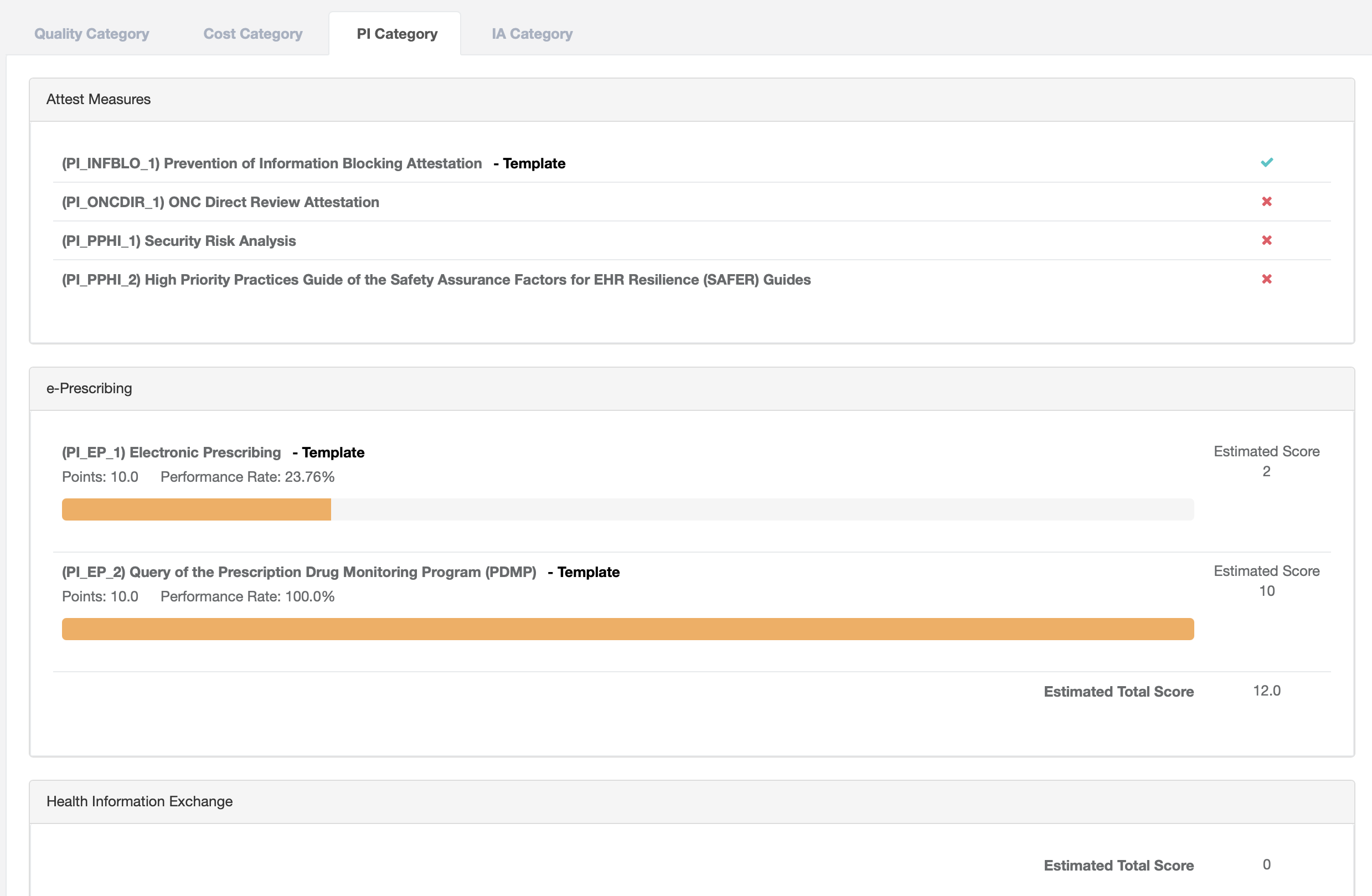
- Navigate to the PI category tab. This will display a breakdown of complete and incomplete measures for each PI objective. Completed measures will have a green checkmark and incomplete measures will have a red x. When all measures are complete for an objective, an estimated score will be displayed.